Canva Editable Board Game: Your Creative Tool for Custom Game Design
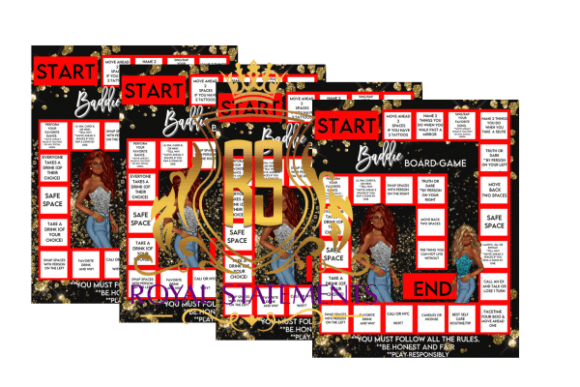
Whether you're a game developer, educator, or just someone with a creative itch, the Canva Editable Board Game template opens up a world of possibilities. This flexible tool lets you design your own board game without needing advanced design skills. With 24 customizable spaces, you can shape your vision into a tangible, interactive experience. And the best part? You can do it all using Canva's free version.
At its core, the Canva Editable Board Game is a digital template that gives you full control over the layout, visuals, and gameplay mechanics. You're not limited to a specific genre or theme—you decide what kind of game you want to build. From trivia and storytelling to strategy and role-playing, the template adapts to your imagination. Whether you're creating a game for personal enjoyment, a classroom activity, or even a product to sell, this tool helps bring your ideas to life.
Real-World Uses That Make a Difference
One of the most powerful aspects of the Canva Editable Board Game is its versatility. It's not just for game designers—it's for educators, marketers, team leaders, and hobbyists who want to engage people in a unique way.
Classroom Engagement – Teachers can use this template to create interactive learning experiences. Imagine a history class where students move across a board answering questions about ancient civilizations or a science lesson that turns the periodic table into a game. The visual and competitive elements make learning more engaging and memorable.
Team Building – HR professionals and team leaders can design custom games that reflect company values or reinforce training material. A branded board game can help new hires learn company policies in a fun, low-pressure environment. It can also serve as an icebreaker during team retreats or workshops.
Marketing and Branding – Small businesses and entrepreneurs can create branded games to give away at events or include in product bundles. A well-designed game can serve as both a promotional item and a customer engagement tool. For example, a coffee shop might create a "Coffee Journey" game where players learn about different brewing methods and earn discounts as they progress.
Personal Creativity – For hobbyists and DIY enthusiasts, this template is a blank canvas for storytelling and game design. Whether you're making a custom wedding shower game or a family-friendly trivia night board, the Canva Editable Board Game makes it easy to bring your ideas to life without any technical barriers.
Who Benefits Most From This Template?
While the Canva Editable Board Game appeals to a wide audience, certain groups find it especially useful.
- Independent creators who want to launch their own game-based products without hiring a designer.
- Small business owners looking for cost-effective promotional tools that stand out from generic giveaways.
- Educators aiming to make lessons more interactive and fun without investing in expensive materials.
- Event planners who need customized games for weddings, baby showers, or corporate events.
Each of these users has different needs, but they all benefit from the same core features: ease of use, visual customization, and the ability to create something unique without coding or design experience.
Practical Examples and Real-Life Applications
Let’s look at a few real-world examples to see how this template can be applied in creative ways.
A language tutor could create a vocabulary-building board game where each space presents a new word or phrase. Players earn points by using the word correctly in a sentence. Since the template allows for background changes and image insertion, the tutor can add visuals that match the language being taught—like Parisian landmarks for French learners or sushi illustrations for Japanese students.
A local bookstore might design a mystery-themed game where players solve clues based on famous book characters. Each correct answer moves them closer to solving the mystery. This kind of game can be printed and offered as a free activity for kids' reading clubs or as a promotional item during book fairs.
For family game nights, a parent might create a personalized board that includes inside jokes, family milestones, and shared memories. Each space could prompt a storytelling moment or a challenge that brings everyone together. This type of game not only entertains but also strengthens family bonds.
Things to Consider Before You Start
Before diving into your board game creation, it’s important to think through a few key considerations to ensure your final product is both fun and functional.
Game Flow – Even with a great template, a game needs to have a logical structure. Will players move in a straight line? Will there be branching paths or decision points? Think about how the 24 spaces will guide gameplay and keep it engaging.
Theme Consistency – While Canva lets you customize every element, maintaining a cohesive theme helps players stay immersed. If you're creating a pirate-themed game, make sure all images, fonts, and colors reflect that world.
Target Audience – Who is going to play this game? A game for kids should be simple and colorful. A game for professionals might be more strategic and minimalistic. Tailor your design choices to the people who will use it most.
Printing and Setup – If you plan to print the game, consider the size and format. Canva allows for various export options, but you'll want to make sure the final layout works well on paper. Also, think about how players will interact with the board—will they need tokens, dice, or cards?
Strengths and Limitations of the Canva Editable Board Game
Like any tool, the Canva Editable Board Game has its strengths and a few limitations to be aware of.
Pros:
- Easy to use, especially for those familiar with Canva.
- No design experience required—just drag and drop elements.
- Customizable backgrounds, images, and text.
- Works with the free version of Canva, making it accessible.
- Ideal for quick prototyping or one-off game creation.
Cons:
- Limited to 24 spaces, which may not be enough for complex games.
- Not suitable for advanced game mechanics like branching paths or digital interactivity.
- Requires some planning to ensure gameplay flow and balance.
If you're looking to create a digital board game with complex rules or interactive features, you might need more specialized tools. However, for physical games or simple digital versions, the Canva Editable Board Game is a powerful and accessible solution.
Final Thoughts
The Canva Editable Board Game is more than just a template—it's a creative gateway for anyone who wants to turn ideas into interactive experiences. Whether you're an educator, marketer, or just a game enthusiast, this tool gives you the freedom to design something unique without technical barriers. The key is to plan your game carefully, match the design to your audience, and let your imagination guide the way. With a little creativity and the right tools, you can craft a game that's not only fun to play but also meaningful and memorable.